How Do I Create an Audio Guide? - A Comprehensive Guide
Audio guides are an excellent way to provide visitors with a positive museum experience. How can an audio guide be effectively integrated into a museum’s visitor experience? To ensure that audio guides are engaging, it’s important to tailor their content and structure to the museum experience. Based on our collaboration with more than 60 museums, we’ve summarized what we’ve learned: Here are some tips that museums can keep in mind when producing audio guides.
Basics of Creating Audio Guides
Before you begin creating an audio guide, it is important to clearly define the target audience and determine the thematic focus. Consider which stories you would like to highlight and how they can enhance visitors’ understanding and appreciation of the exhibition.
Determine the perspective from which your audio guide should be written. How will the museum audience be addressed in the audio guide? The length of the audio guide tracks should also be carefully planned to ensure that the information is comprehensive without overwhelming visitors. Consider the accessibility of your audio guide by incorporating different languages or accessible formats.
Choosing the Right Content for Your Audio Guide
Choose content that is not only informative but also engaging, telling stories that resonate emotionally with visitors. Use original sources, expert interviews, and historical context to enhance the authenticity and depth of your audio guide content. People remember stories better than abstract facts. This isn’t just about conveying information; it’s about storytelling and entertainment.
Consider using music and ambient sounds to create an immersive atmosphere that enriches the exhibition. Make sure the content is current and updated regularly to ensure the accuracy and relevance of the audio guide. Incorporate interactive elements, such as thought-provoking questions. These allow museum visitors to delve deeper into specific topics and explore the museum.
Divide the guide into individual chapters that are no longer than 1.5–2 minutes. Longer chapters can be distracting and should be shortened or split into several chapters. Focus on the essentials and avoid too many details. Stories and anecdotes are more effective than dry facts. Rule of thumb: About 120 words correspond to roughly 60 seconds of audio.
You can either create an audio guide script to serve as the basis for the recordings or simply prepare notes and speak off the cuff. Both approaches help ensure a coherent narrative structure. Experiment with different storytelling techniques and formats to find out what works best for your museum and the works on display.
Technical Aspects of Audio Guide Production
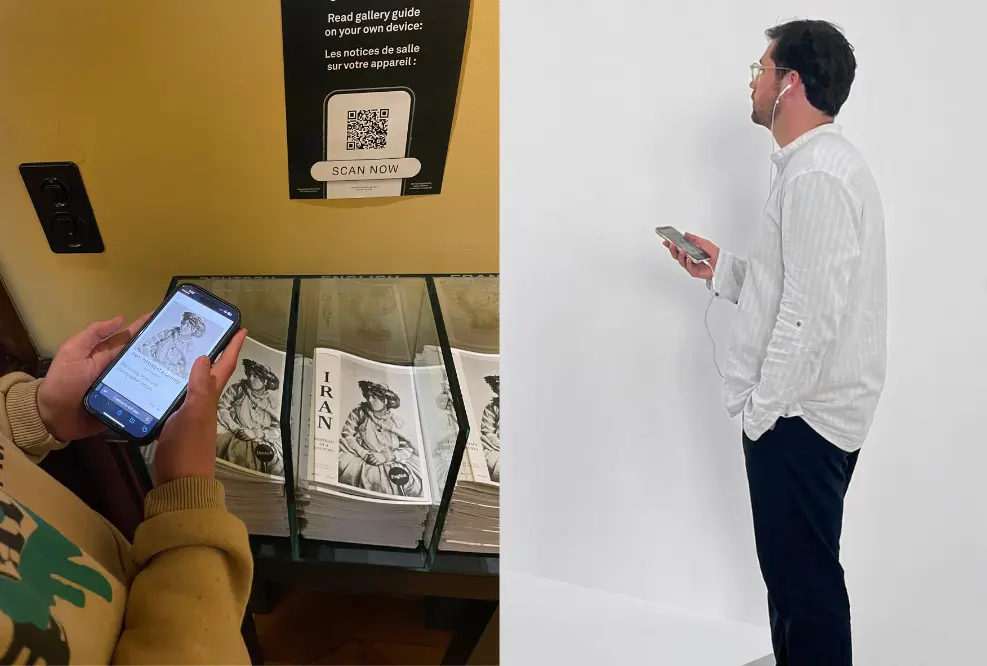
Ten years ago, the audio guide would have been made available via expensive rental devices or apps. With modern technology, neither is necessary anymore. Web apps allow visitors to access the guide directly without any downloads—simply scan a QR code, and the audio experience begins.
Even comprehensive Wi-Fi coverage isn’t required. All you need is a Wi-Fi hotspot or cell service at the entrance. The tour preloads automatically when the QR code is scanned for the first time.
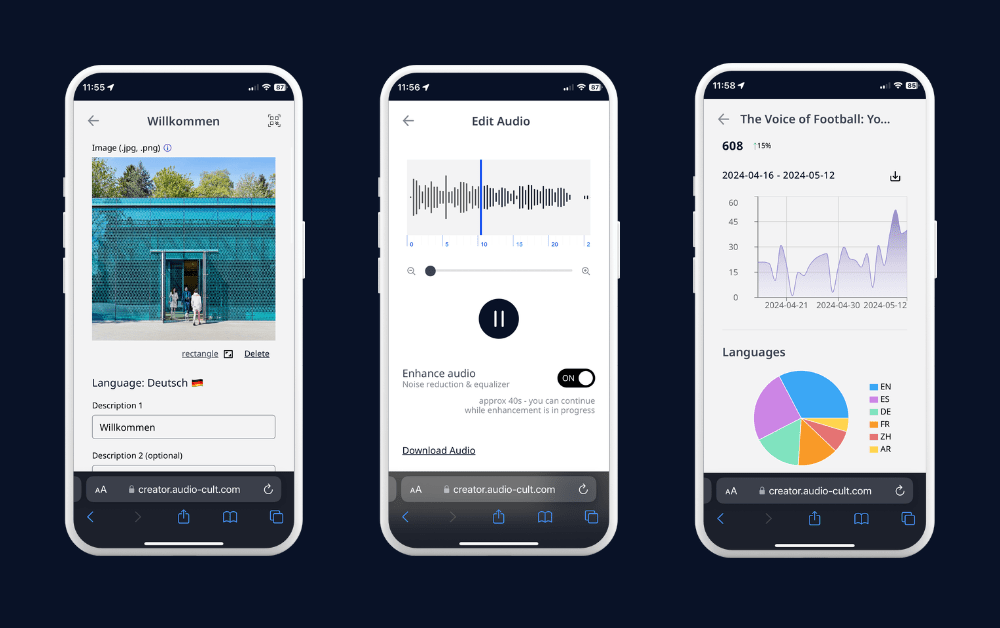
On the other hand, it must also be easy for the museum to create new audio guide content and update it on an ongoing basis. Using smart analytics tools, you can analyze how museum visitors use the audio guide and which areas of the exhibition are particularly popular (all while using privacy-friendly tracking tools). This makes it easier for you to create an audio guide for museums.
Recording and Editing Audio Guide Content
To ensure the best possible sound quality for your audio guide recordings, it’s worth following a few steps. Here are some basic tips for your audio guide: You can achieve excellent results in a quiet room free of background noise (such as traffic, loud ventilation, air conditioning, or other distracting sounds). Choose a room with minimal reverberation or echo. A room with carpet, curtains, or furniture can reduce reverberation.
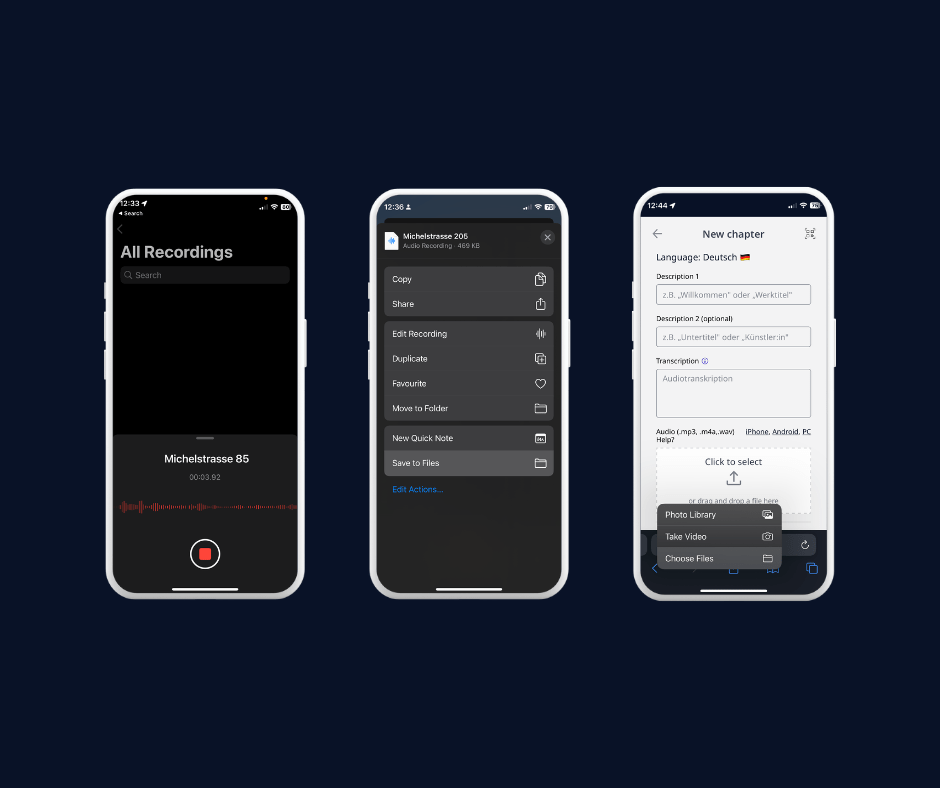
You have two options: Either work with professional voice actors, or record the guide yourself. If you’re recording it yourself: Choose your preferred recording app. For example, the pre-installed Voice Memos app (iOS) or Voice Recorder (Android) works well for this. On an iPhone using the Voice Memos app, to save the file, tap the three small dots (top right) and then select “Save to Files.”
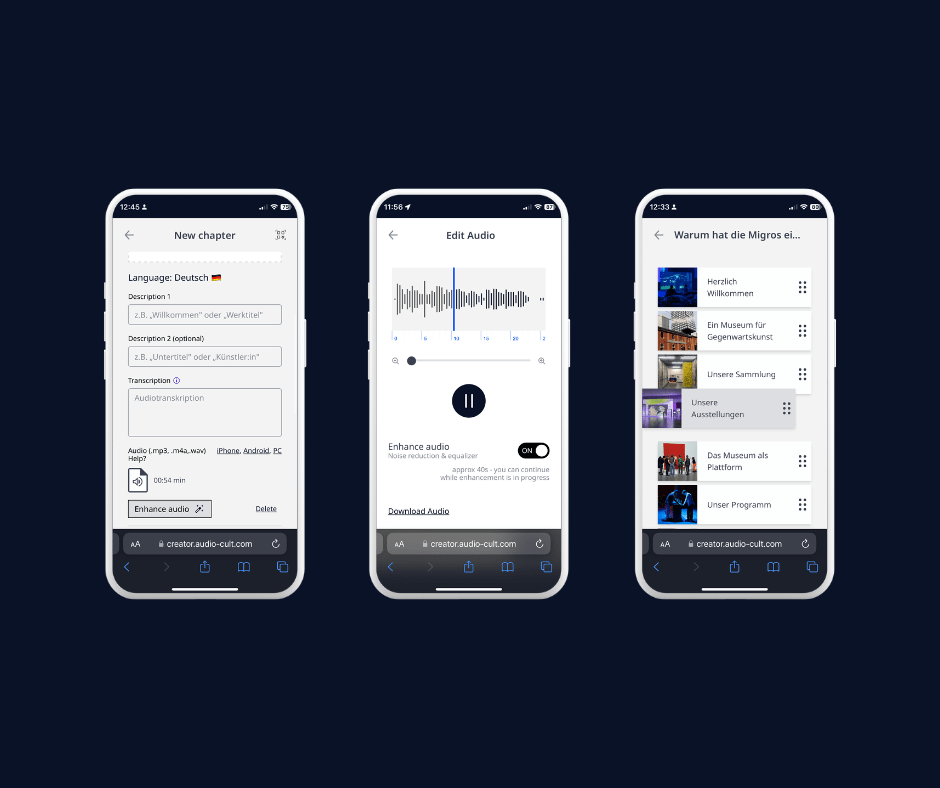
We recommend the following tips for recording: Position your smartphone at a consistent distance. We recommend a distance of about 20–25 centimeters (this helps reduce breathing sounds). If possible, mount the smartphone or place it on a stable surface (e.g., a stack of books). You can use smart tools to edit audio and improve audio quality. Use the AI filter from Wonnder (formerly Audio-Cult) to reduce background noise. This will help you improve audio quality and ensure consistent volume.
Integration and Deployment of the Museum Guide
Test the audio guide thoroughly before making it publicly available to identify any technical errors or content discrepancies. Consider how the audio guide can best be integrated into the overall museum experience, for example through clearly visible QR codes and signage.
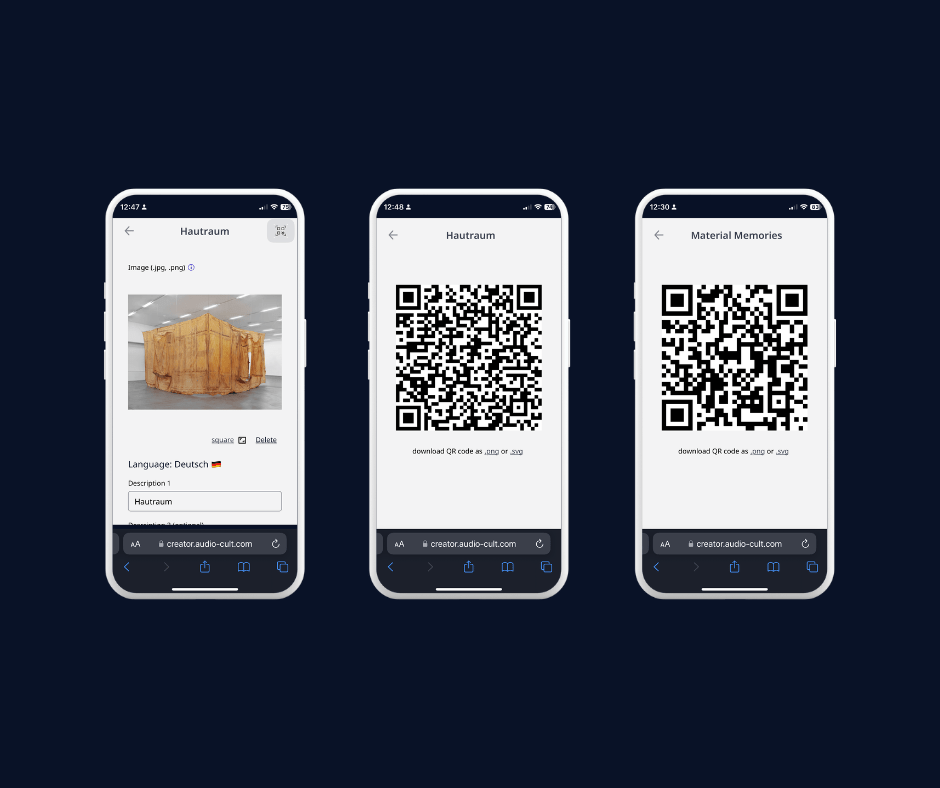
For example, QR codes can all be automatically generated using Wonnder (for each object as well as the entire tour). To pique the audience’s curiosity, it’s a good idea to include questions or information next to the QR code that spark interest. At the entrance, a larger poster (A3 or larger) is recommended to draw people’s attention to the audio guide offering. Also in the exhibition space: When a specific work, object, or room is being described, QR codes placed directly on-site are helpful.
Actively inform visitors about the availability of the audio guide—both on-site through staff announcements and via your website and social media. Offer training for staff so they can effectively assist visitors in accessing and using the audio guide.
Feedback and Optimization of Your Audio Guide
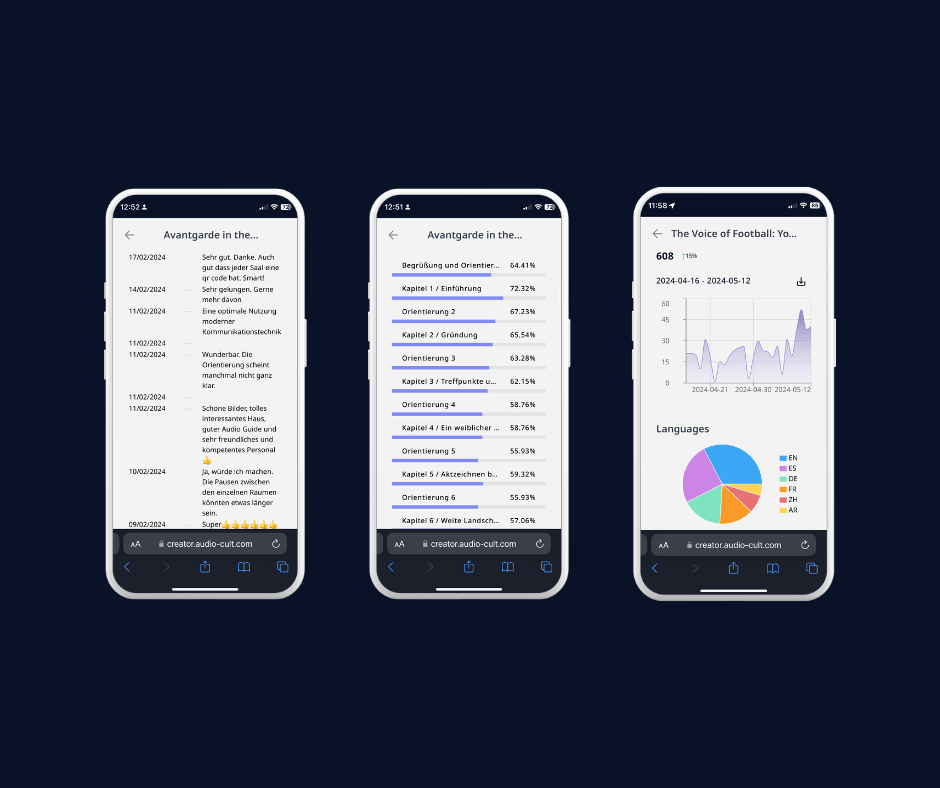
Implement a simple and intuitive way for visitors to provide feedback directly through the audio guide web app. With Wonnder, this can be done, for example, through a simple rating system and comment fields.
Analyze the audio guide’s usage data to understand which sections are listened to most frequently and where visitors might be stopping early. This data can provide insight into which content is particularly engaging or where improvements might be needed.
Check the audio guide’s content to ensure it’s up to date. With Wonnder’s Audio Guide Creator, you can make changes to the museum guide flexibly and independently. This way, you can ensure that the audio guide is up to date and remains engaging.
Conclusion: Continuously Improving Your Audio Guide
By applying the methods discussed here—from careful planning and content selection to integration and continuous improvement through feedback—you can develop an audio guide that not only informs and entertains but also significantly increases visitor satisfaction.
Take this opportunity to enhance your museum’s offerings with a well-designed audio guide.